App Drawer

UUID: app-drawer@mostlynick3
Last edited:
1 month ago 2026-01-11, 01:47
Last commit: [af1074fd] Hungarian translation update (#8180)

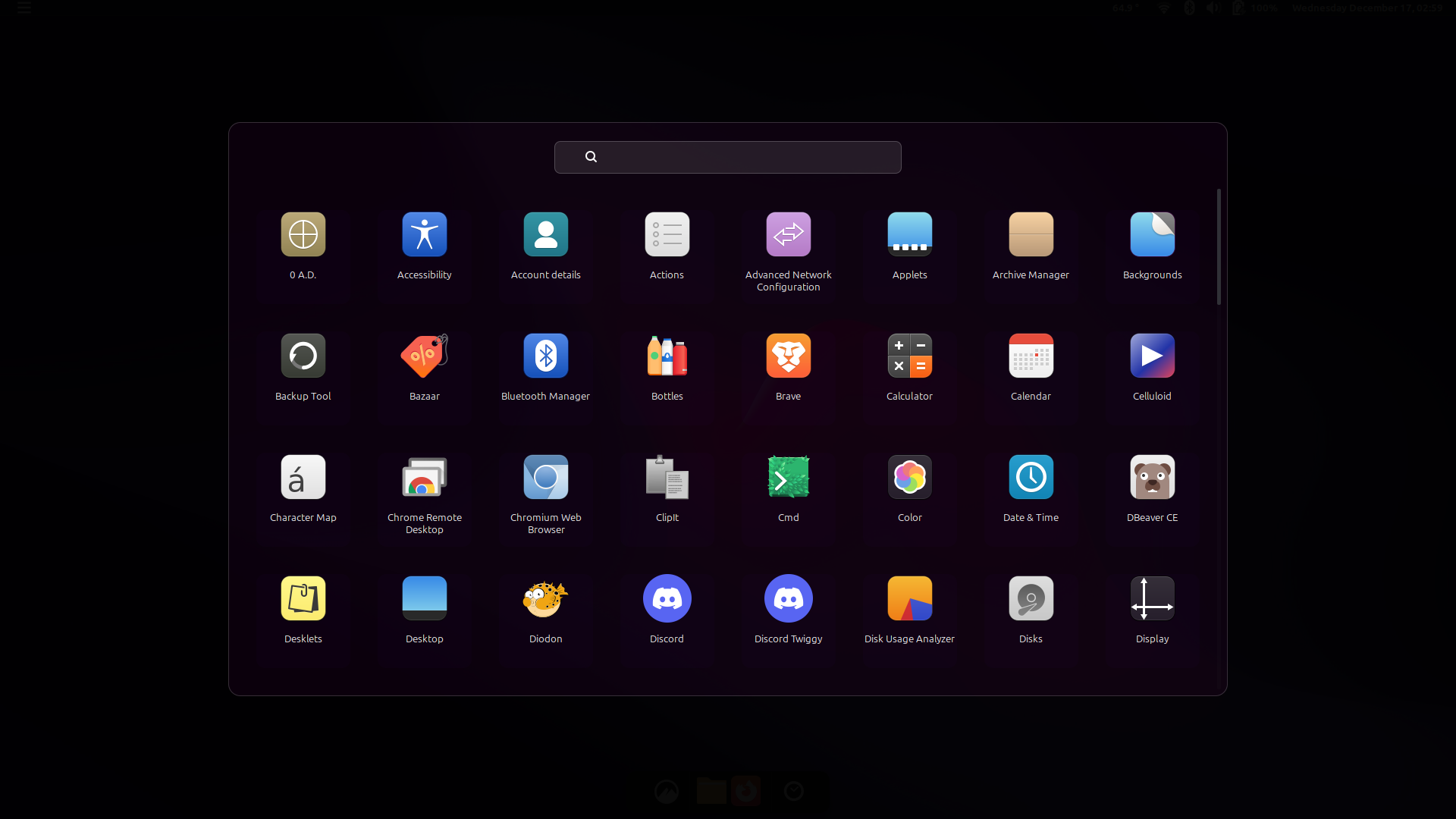
Full-screen app launcher with animations, transparency, a search box, and more.

README

Close

App Drawer

A customizable application launcher for Cinnamon desktop with a modern, glassmorphic design.

Features

  • Multiple Navigation Modes

    • Button navigation with left/right arrows
    • Horizontal scrolling through apps
    • Vertical scrolling through apps
  • Highly Customizable

    • Adjustable grid layout (columns and rows)
    • Configurable icon sizes and padding
    • Customizable colors and opacity for background, container, and app boxes
    • Multiple animation options (fade, scale, slide, zoom)
    • Adjustable animation duration
  • Search Functionality

    • Real-time app search with clear button
    • Search by app name or description
    • Keyboard shortcuts (ESC to clear/close)
  • Modern Design
    • Glassmorphic UI with blur effects
    • Smooth animations and transitions
    • Hover effects on app icons
    • Responsive layout

Usage

  • Click the applet icon to open the app drawer
  • Use arrow keys or mouse buttons (8/9) for navigation in button mode
  • Scroll wheel for navigation in button mode
  • Search for apps using the search bar
  • Click outside the drawer or press ESC to close

Configuration

Right-click the applet and select "Configure" to customize:

  • Navigation mode
  • Grid dimensions
  • Icon and font sizes
  • Colors and opacity
  • Animation styles and duration

Credits

Created with support from Claude.

CHANGELOG

Open

Log In To Comment!

9 Comments

Michael Freeman
Michael Freeman-1 month ago
Any way this could add a blur to the transparency? Maybe do a screen grab, run a quick gaussian blur on it, and then fade into that as the background of the transparency? In my opinion, transparency without blur is pointless, as hard-line images and text in the background can make foreground text difficult or impossible to read.
mostlynick3
mostlynick3-2 weeks ago
I have added blur through your suggested method on my development repo. Feel free to try it out by checking out the cinnamon-spices repo in my Github profile. It takes some 100-200 ms to grab and manipulate the screenshot so I'm running it through an async operation, fading it in as it is ready. Not perfect but looks fine - I'll keep tweaking on it when I have time to see if I can get an end result I'm happy with PR-ing a v1.2
smartjedi
smartjedi-1 month ago
arrow keys events must move icons cursor, not search bar text cursor
smartjedi
smartjedi-1 month ago
Good app. The ESC key works strangely; if the cursor is in the search bar, the focus is lost and the window closes after at least two presses of ESC, sometimes three. Correct logic: If there is text in the search bar – clear the search bar. If there is no text – close the window.
mostlynick3
mostlynick3-2 weeks ago
This is native text input field behavior in modals, so I'd argue the behavior is correct - though it could be made more user friendly by more intelligently changing focus. For example, arrow button down could unfocus the search bar and place focus on app navigation. I'll give this a think!
RT Cunningham
RT Cunningham-2 months ago
Sorry, I have one gripe. The application names don't span more than one row. I see a lot of ellipses.
mostlynick3
mostlynick3-1 month ago
Thanks for the feedback, I'll make sure to add support for multiple rows or marquee text reveal in next update :)
mostlynick3
mostlynick3-2 weeks ago
I have now added marquee text support to my spices development repo, feel free to try it out by going to the cinnamon-spices repo in my Github profile :)
RT Cunningham
RT Cunningham-2 months ago
I really like this, especially clicking on app stars to make them favorite apps. I spent a week trying to get "Lightpad" to do what this already does.