

UUID: quick-alarm@andreas-glaser
Last edited:
5 months ago
2026-04-10, 09:20
Last commit: [835f2c81] Quick Alarm v1.4.2 (#8252)
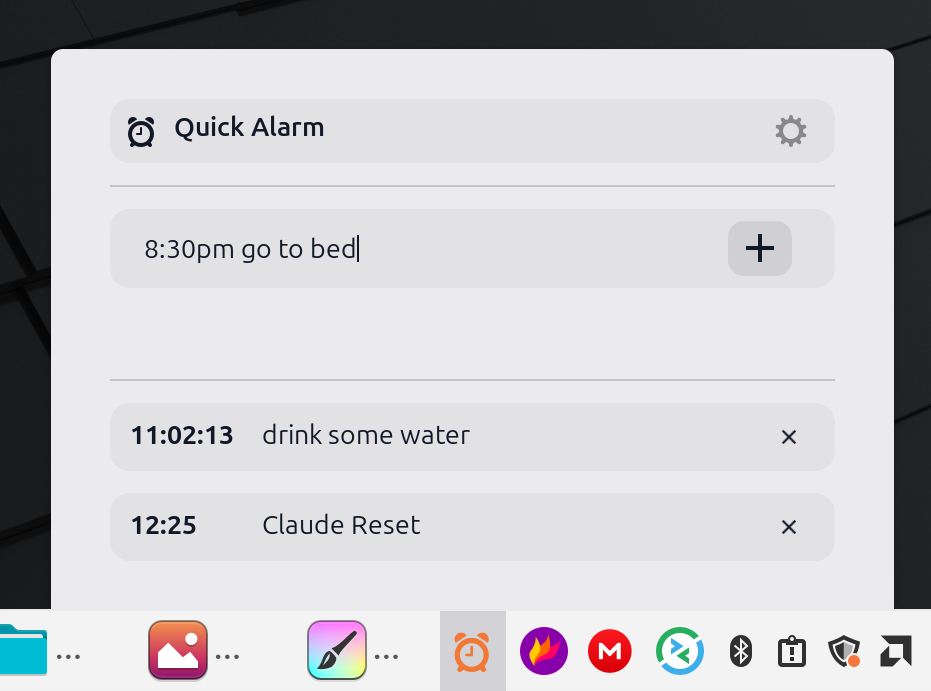
Queue alarms quickly.
README
Quick Alarm
Queue alarms fast from your Cinnamon panel. Click the applet icon, type a time, press Enter.
Usage
- Click the applet (alarm icon) in your panel.
- Type an alarm time (optionally with a label).
- Press Enter (or Ctrl+Enter to add another without closing).
Examples
in 10m teaafter 5m - stretch5 seconds11:59am meetingtomorrow 11:30 standup
What happens when it fires
- A fullscreen overlay appears showing the time, label, and how long ago it fired.
- Plays an alarm sound.
- Click anywhere, press Escape/Enter/Space, or click Dismiss to close.
Settings
- Fullscreen notification: show fullscreen overlay when alarm fires (default: on)
- Alarm sound mode: chime once, or ring for a duration
- Ring duration: how long "ring" mode plays sounds
- Open shortcut: global hotkey to open the applet menu (default: Super+Alt+A)
Log In To Comment!
1 Comments