

README
Curtain Applet for Cinnamon
Introduction
The Curtain applet for Cinnamon is designed to be a lightweight,fast and easy to install and configure alternative to popular window managers. Essentially, it is aimed to completely navigate workspaces and windows using only the keyboard.

Features
Workspace Management
- Switch workspaces: Switch between workspaces using the
Super + 1-9keys - Move Windows To A Workspace: Move the focused window to any workspaces using the
Super+Shift+1-9keys - Navigate between next and previous workspaces: Alternatively it is possible to move to previous and next workspaces using
Super + R/Tand move the windows to previous and next workspaces usingSuper + Shift + R/T(R for previous and T for next workspace)
Window Management
- Arrange the Windows: Arrange the windows in Half Window Fashion by using
Super + Tab - Focus the window : focus on next window using
Super + F - Move the window : Move the focused window in direction of the largest window equal or less than the focused window using
Super + M - Swap the window: Swap the focused window with the next window using
Super + S - Half Screen: Make the focused window occupy left half of the screen and arrange the rest of the windows(SEE WindowManagement > Arrange the Windows) using
Super+H - Maximize: Make the focused window occupy whole screen/maximize using
Super+L - Exit from Maximize: Unmaximize the focused window using
Super+Q - Minimize: Minimize the focused window using
Super + P - Close the Focused Window: Close the focused window using
Super+K
Other Settings
- Enable/disable: Automatic arrangement on opening/closing a window as well as Hotkeys can be toggled on/off using
Super + Escape
Configure your own hotkeys
- To open an application like kitty,Nemo etc. you can go to System Settings > Keyboard > Shortcuts > Custom Shortcuts
Automatic Arrangement
- If the windows are in arranged fashion i.e no sizing and position of any window is changed, then the newly opened windows also open in Half Window Fashion.
- Note - this is only possible when the windows themselves allow resizing and positioning. If any of the opened windows(newly opened or already opened) cannot resize or position itself according to the algorithm, the automatic arrangement fails and windows are opened/resized randomly. This is especially true for applications like gnome-terminal which only resizes itself vertically in multiple of font size and winddows having a set minimum size."
See the applet status
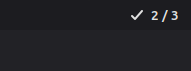
- See whether the extension is enabled or not, current workspace index, as well as total workspaces

Fully customizable
- The keys for performing all the action are fully customizable
Preferences
Due to individual windows not following Curtain rules ,it is advisable the following applications are preferred:
- kitty over gnome-terminal
Half Window Manager
The Curtain applet arranges the windows using the following rules:
- Sort the windows by their size. If two windows are of same size the one that is on left or top comes first
- Windows are arranged starting from the full screen
- Arrange the 1st window in half screen either vertically(top or bottom) or horizontally(left or right) depending upon whether the remaining area has lower width(vertically) or lower height(horizontally)
Next Window in Half Window Manager
- The focus and swap operations in Curtain are performed using the current focused window and the next window. The next window is the largest area window which is equal or smaller than the focused window. If no such window exists the next window is the largest area window
Manual Installation on Cinnamon
To manually install the Curtain applet in Cinnamon , follow the steps below:
-
Navigate to the Cinnamon applets directory: Open the terminal and use the
cdcommand to go to the folder where Cinnamon applets are stored locally:cd ~/.local/share/cinnamon/applets -
Clone the applet repository: Clone the repository using the following command:
git clone git@github.com:AdvaitaSoni/curtain.git -b APPLET curtain@AdvaitaSoniNOTE: The branch to copy is APPLET
-
Restart Cinnamon (or the panel): For Cinnamon to recognize the new applet, you can restart the graphical environment. The easiest way is to press
Alt + F2, typer, and pressEnter. This will restart Cinnamon without closing your applications. - Add the applet to the panel:
- Right-click on an empty area of your Cinnamon panel.
- Select "Add applets to panel...".
- In the window that opens, go to the "Installed applets" tab.
- Look for "Curtain" in the list.
- Select it and click "Add to panel." Now you should see the "Curtain" applet displaying the remaining minutes of the day on your Cinnamon panel!
From Applet Store
- Alternatively it is possible to download by going to Applets > Download > Search for Curtain
Log In To Comment!
1 Comments