

README
Zen Pomodoro
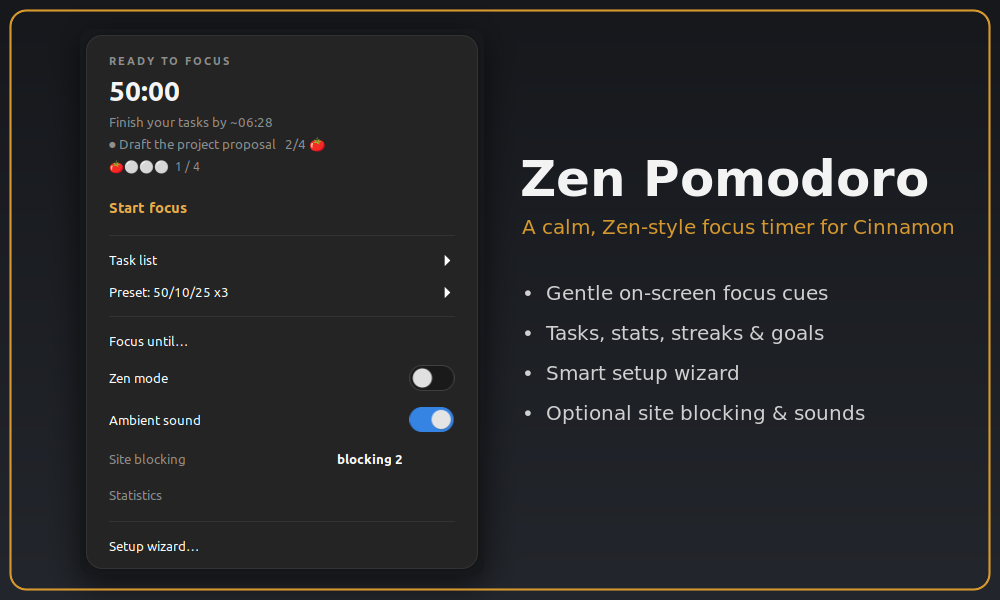
A calm, Zen-style Pomodoro timer for the Cinnamon panel. It gives you gentle on-screen cues instead of anxious alarms, so a finished block never jolts you.

Why Zen Pomodoro?
Most Pomodoro timers interrupt you: a jarring alarm, a popup that demands a click, a countdown that piles on pressure. Zen Pomodoro takes the opposite approach. Your progress shows as a soft glow at the edge of the screen, focus ends calmly instead of blinking at you, and if a block runs out while you're mid-thought, soft landing waits for a natural pause instead of cutting you off. It stays out of your way, works with a screen reader, and speaks 20 languages.
Getting started
After enabling the applet, right-click it → Configure and run the short setup wizard — it asks a few questions and tailors focus length, sounds, breaks and optional blocking to your workflow. You can undo it with one click if you change your mind.
Highlights
- Calm focus cues: a soft edge-glow frame traces your progress (the panel edge stays clear), a quiet start ritual, a calm ending with no last-minute blinking, an optional full-screen Zen spotlight, and a breathing guide on breaks.
- Adaptive onboarding: a short wizard tailors focus length, sounds, breaks and blocking from a few questions, with a review step, keyboard and screen-reader navigation, and a one-click "Undo last setup".
- Tasks: a list with pomodoro estimates and per-task progress, templates, and a focus-task picker.
- Statistics dashboard: today, this week, this month, streak and all-time, an hourly focus pattern, 14-day bars, a 12-week heatmap, a by-task breakdown, milestones, and one-click export to a CSV file.

- Goals & flow: a daily goal and streak, flow-extend, soft landing, idle auto-pause and resume, "Focus until" a set time, and an optional strict-focus mode.
- Calmer breaks: gentle rest reminders with "+5 min" and "Skip break" right in the notification, an optional breathing guide, an optional lock screen on breaks, and auto-pause/resume of music and video (MPRIS) while you step away.
- Stay focused: optional site blocking during focus, Do-Not-Disturb while focusing, and a global hotkey to jot a distracting thought without leaving your flow.
- Sounds: ticking, phase alerts, an interval chime, and ambient soundscapes (white, pink or brown noise, rain, sea, fan, wind, stream or your own file).
- Push to your phone (optional): phase changes via Pushover with your own keys, and customizable message text, sound and priority.
- Automation (optional): run a command when focus starts, a break starts, or you reach your daily goal.
- Your look and controls: theme presets and custom accent colours, frame style (glow, border, corners or off), glow intensity, breathing pattern and menu font scale, all with a live preview; scroll on the applet to start/pause or change the focus length, middle-click to skip, plus keyboard shortcuts.
- Resilient and accessible: session recovery after a Cinnamon restart, screen-reader summaries for the charts, and localized into 20 languages.
Notes
Your stats and tasks are stored locally under ~/.local/state/zen-pomodoro/.
Optional distraction blocking edits a clearly marked section of /etc/hosts
via a pkexec prompt (standard graphical admin dialog) — off by default, and the
only feature that touches a system file. Pushover notifications require your own
credentials.
Credits & License
Originally based on Pomodoro Timer by gfreeau, since substantially rewritten. Licensed under the GPLv3.
Log In To Comment!
0 Comments