
README
Drive Activity LED Indicator
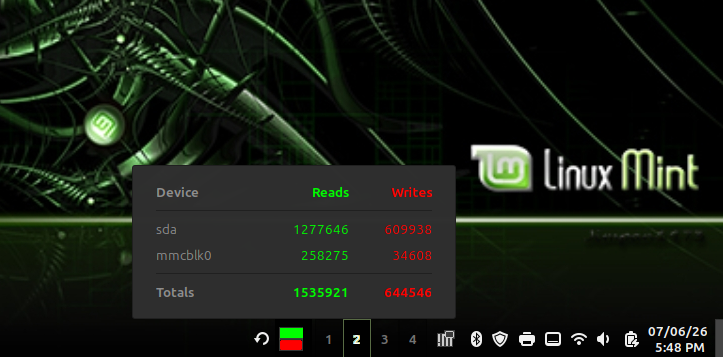
A Cinnamon desktop applet (Linux Mint) that adds a visual disk activity indicator (LED) directly to your system panel. This is a solution for laptop users or PC cases that lack a physical HDD activity LED. This applet is derived from storage-act-led@mrbartblog with some changes in how diskstats is parsed, look of the "LED" icons, and addition of a tooltip with r/w totals and a pop-up dialog with r/w counts for each disk in system.
Description
The applet monitors system statistics and changes its icon color whenever a read or write operation is detected. This allows the user to see in real-time if the system is performing disk read/write operations.
Technical Details (/proc/diskstats)
The applet works by parsing the /proc/diskstats file, which contains runtime block device statistics. It specifically tracks:
- Field 4: Number of reads completed.
- Field 8: Number of writes completed. The parsing eliminates loop devices, devmapper devices, and partitions which would cause double counting since these are summed up at the disk level.
By comparing the current r/w values with the previous ones every 100ms, the applet determines the current state:
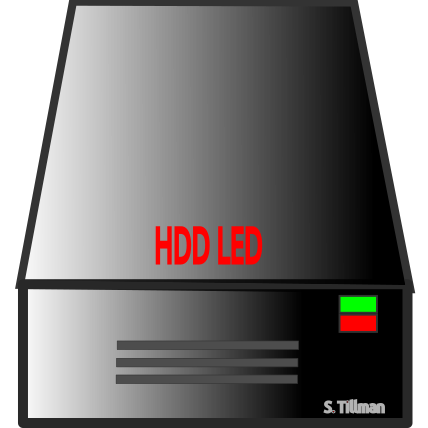
 Idle - (both LEDs black/off) No changes in stats.
 Read - (green LED on, red LED off) Increase in read count.
 Write - (green LED off, red LED on) Increase in write count.
 Both - (both LEDs on) Simultaneous increase in both read and write counts.
Requirements
- None
Configuration
Currently the applet sums the r/w counts of all disks in the system to determine r/w activity. A future enhancement would be to allow the user to select which disk devices to monitor.
The refresh/measurement interval is set to 100ms. This value can be changed directly in the applet.js code. However, in the author's opinion, 100ms provides a very accurate representation of how a physical LED built into a computer would behave – longer would be too slow, and shorter would be hard for the human eye to track.
Source & License
Licensed under GPLv3, consistent with the original storage-act-led@mrbartblog applet by mrbartblog.
Log In To Comment!
2 Comments