

UUID: meetingbar@redbranch.net
Last edited:
1 month ago
2026-09-12, 06:18
Last commit: [70434c93] Hungarian translation update (#9037)
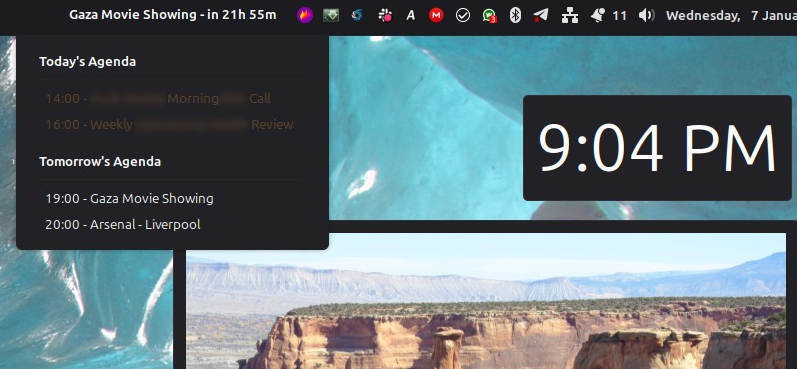
Display the next meeting from your calendar in the menu bar.
README
meetingbar-applet
An applet to display the next event from a calendar on a panel on the Cinnamon desktop. Avoid missing your next meeting !

Configuration
Once the applet files are in place you can add the applet to a panel by right-clicking the panel and choosing 'Add Applets'. The settings for the applet can be configured using the cog icon.

Paste the URL for each calendar into the text box with one calendar address per line.

Features
- Displays the next upcoming item from a calendar
- Configurable colours for the text in the applet
- Optionally show events for the next day
- Configurable padding to help you position the applet text if needed
- Configurable rate for refreshing the calendar events
Troubleshooting
If you have any issues you should be able to see the logs from the applet in the file:
~/.xsession-errors
Log In To Comment!
1 Comments