

README
Dim Inactive Windows
A Cinnamon extension that dims and desaturates inactive windows so the focused window is unmistakable — no more typing into the wrong window.
It works per window, not per application. Two windows of the same program (for example an IDE main window and its free-floating terminal) are told apart: whichever one is not focused gets dimmed.

Why
Cinnamon (Muffin) gives inactive windows no visual cue. If you frequently work with two windows side by side — especially IDEs like PhpStorm next to a floating terminal — it is easy to start typing into the wrong one. This extension fades a subtle darken + desaturate effect onto every inactive window, so the active one stands out at a glance while inactive content stays fully readable.
Features
- Per-window, not per-app — sibling windows of one application are independent.
- Dim, desaturate, or both (configurable strength).
- Smooth fade on focus change (configurable duration, or instant).
- Leaves menus, tooltips, notifications, panels and the desktop untouched.
- Optional: keep a window bright while one of its modal dialogs is focused.
- No compositor patching, no overlays — uses Clutter effects on the window actors.
Requirements
- Cinnamon 6.0+ (tested on Linux Mint 21.3, Cinnamon 6.0.4, X11).
Installation
From System Settings (once published on Cinnamon Spices)
System Settings → Extensions → Download → Dim Inactive Windows → install, then enable it under the Manage tab.
Manual
Clone straight into a folder named exactly after the extension's UUID:
git clone https://github.com/jarkt/dim-inactive-windows.git \
  ~/.local/share/cinnamon/extensions/dim-inactive-windows@jark
Then enable it under System Settings → Extensions. German UI translations
are compiled from po/de.po; on a manual install run
msgfmt po/de.po -o ~/.local/share/locale/de/LC_MESSAGES/dim-inactive-windows@jark.mo
if you want the settings dialog localized.
Settings
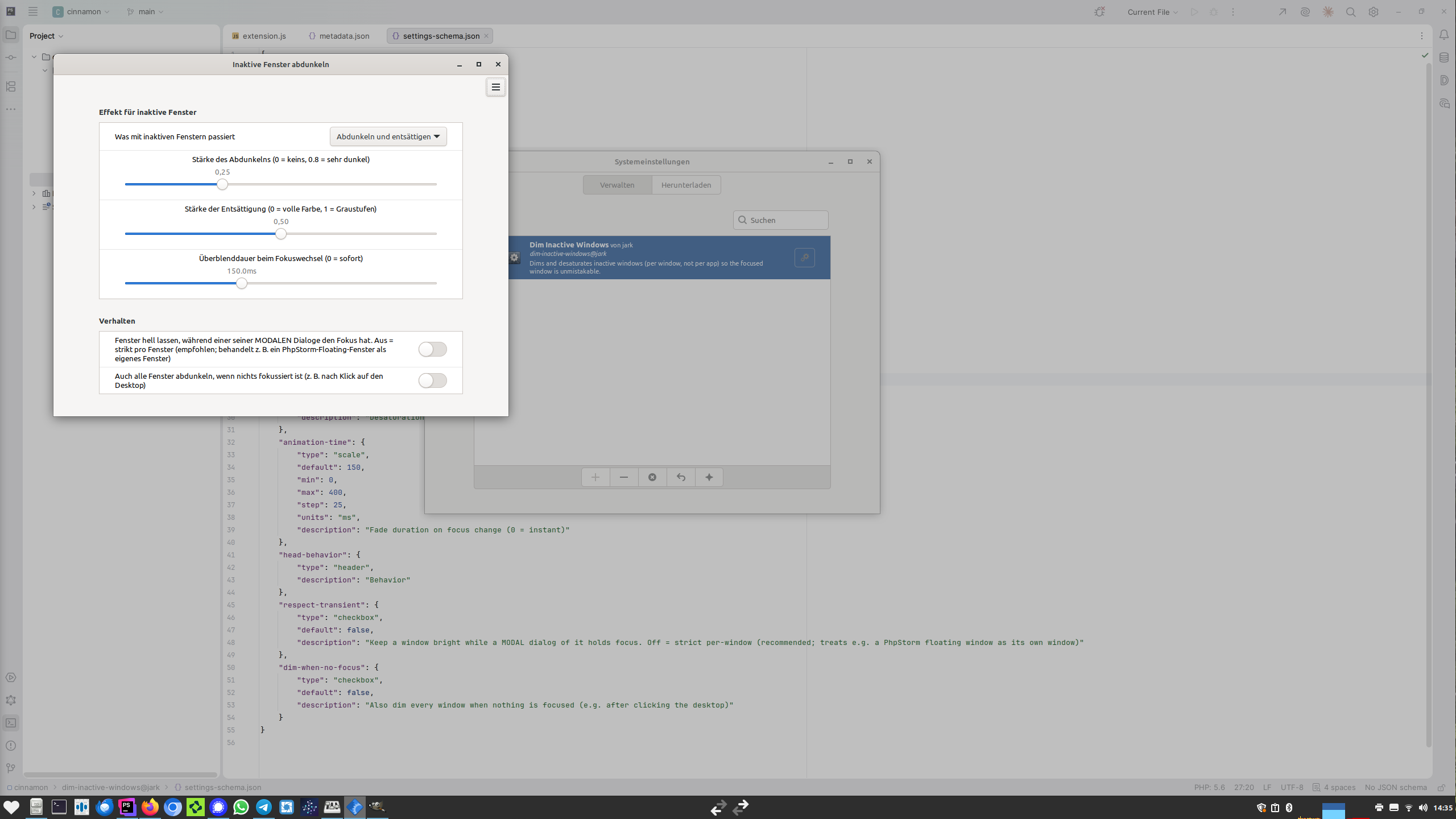
Open System Settings → Extensions → Dim Inactive Windows → ⚙ (Configure):
| Setting | Default | Meaning |
|---|---|---|
| What happens to inactive windows | Dim and desaturate | Effect mode |
| Dim strength | 0.25 | 0 = none, 0.8 = very dark |
| Desaturation strength | 0.5 | 0 = full color, 1 = grayscale |
| Fade duration | 150 ms | 0 = instant switch |
| Keep parent bright for modal dialogs | off | Strict per-window when off (recommended) |
| Dim when nothing is focused | off | Also dim everything after clicking the desktop |
How it works
On every focus change the extension iterates global.get_window_actors() and,
for each inactive window, tweens two Clutter effects onto the actor:
Clutter.BrightnessContrastEffect (dim) and Clutter.DesaturateEffect
(desaturate). The focused window has its effects removed. Because it operates on
Meta.WindowActor objects, the distinction is inherently per window.
License
GPL-2.0-or-later. See LICENSE.
Log In To Comment!
3 Comments